Project Plan

task icon

Task

Design & Development of CRM platform

Team icon

Team

PM, Business Analyst, UX Researcher, UI/UX Designer, 2 Front-end Developers, 2 Back-end Developers, QA, DevOps

Duration icon

Duration

6 months

Scope icon

Scope

30 web screens

Overview

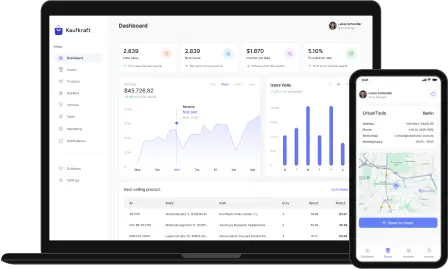
Our customer Kaufkraft is one of the leaders in the German retail market with multiple stores across the country. It tasked us with a complex project aimed at improving customer engagement, management, sales, and operations. The existing system wasn’t capable of handling purchase history, products inventory, marketing and invoices details, so it required a custom one for tailored needs.

During this cooperation, we had to address all the tech challenges, from centralized databases for all the customers’ and workers’ data to marketing-related analytics and insights that help to suggest sales trends. Our team was also asked to design a flawless interface for easy usage and seamless navigation.

Deliverables

Results

The management platform transformed Kaufkraft’s sales operations, driving a 25% increase in average cart value following the launch of an AI assistant. Handling over 10,000 product interactions daily through WebSockets, the system delivered lightning-fast responsiveness while reducing page load times by 40% thanks to SSR with Next.js.

Maintaining 99.95% uptime across all services, the platform supports multi-vendor capabilities and is built to scale internationally, empowering Kaufkraft to elevate both productivity and customer engagement.
Dashboard
Stores
Products
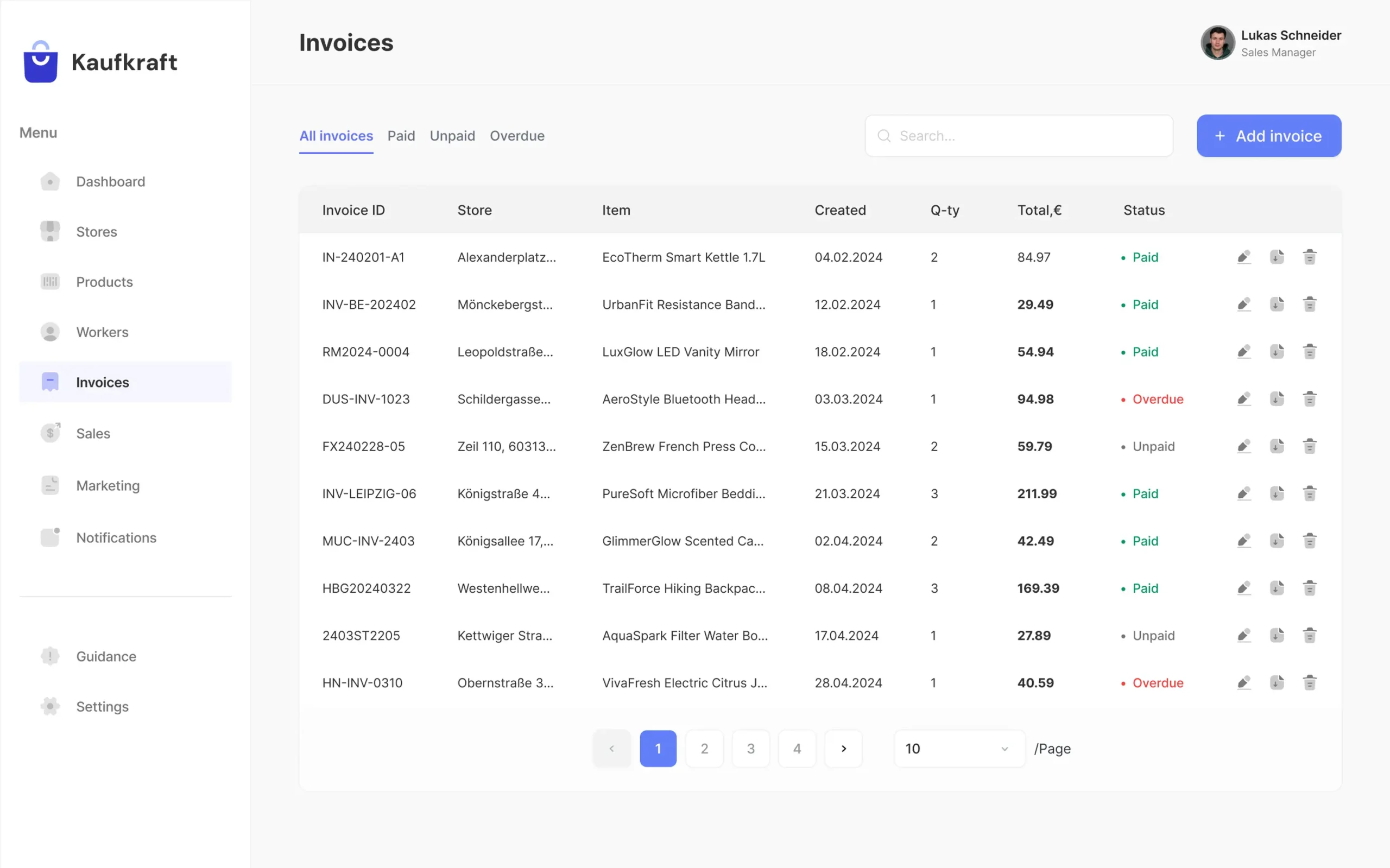
Invoices
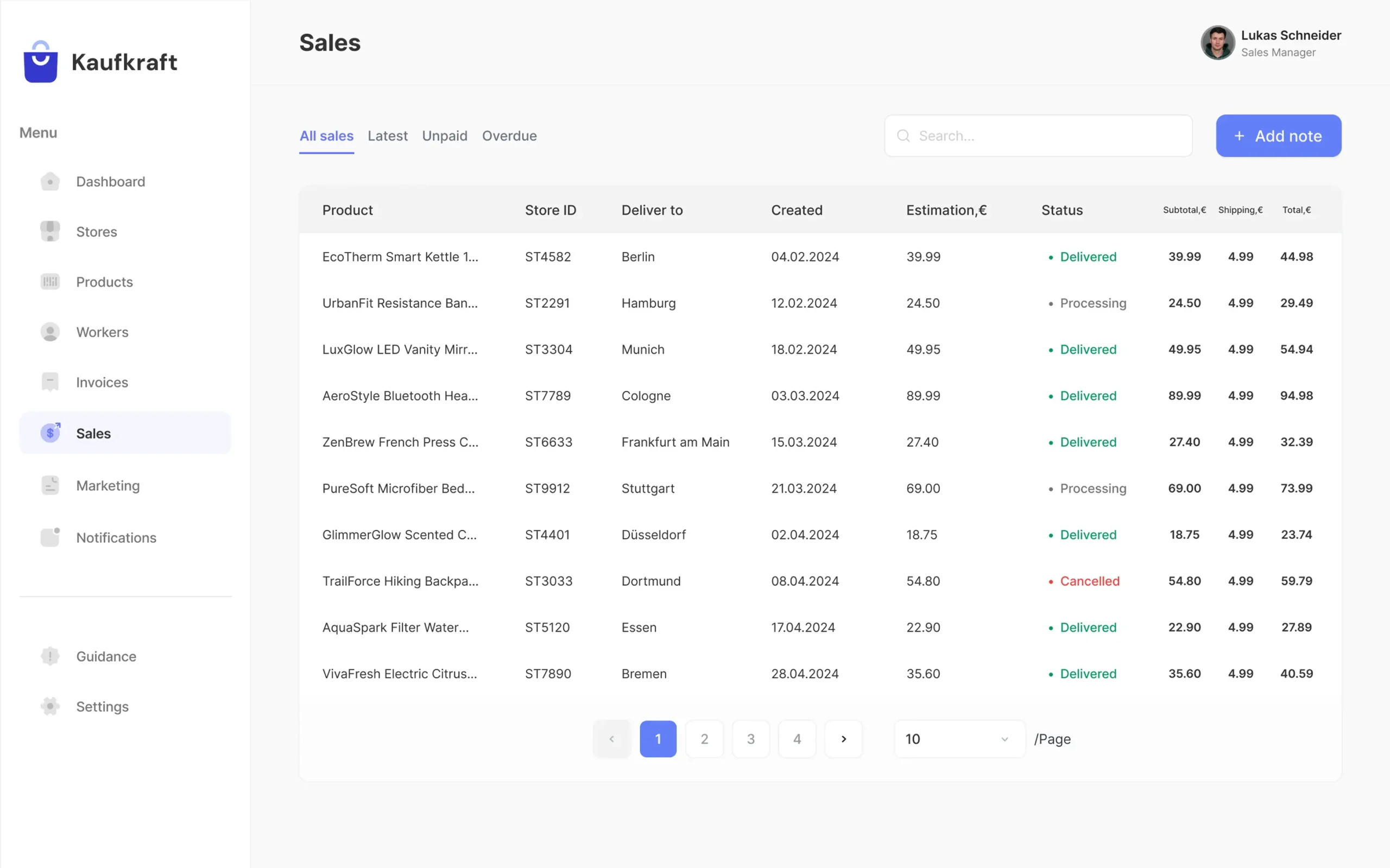
Sales
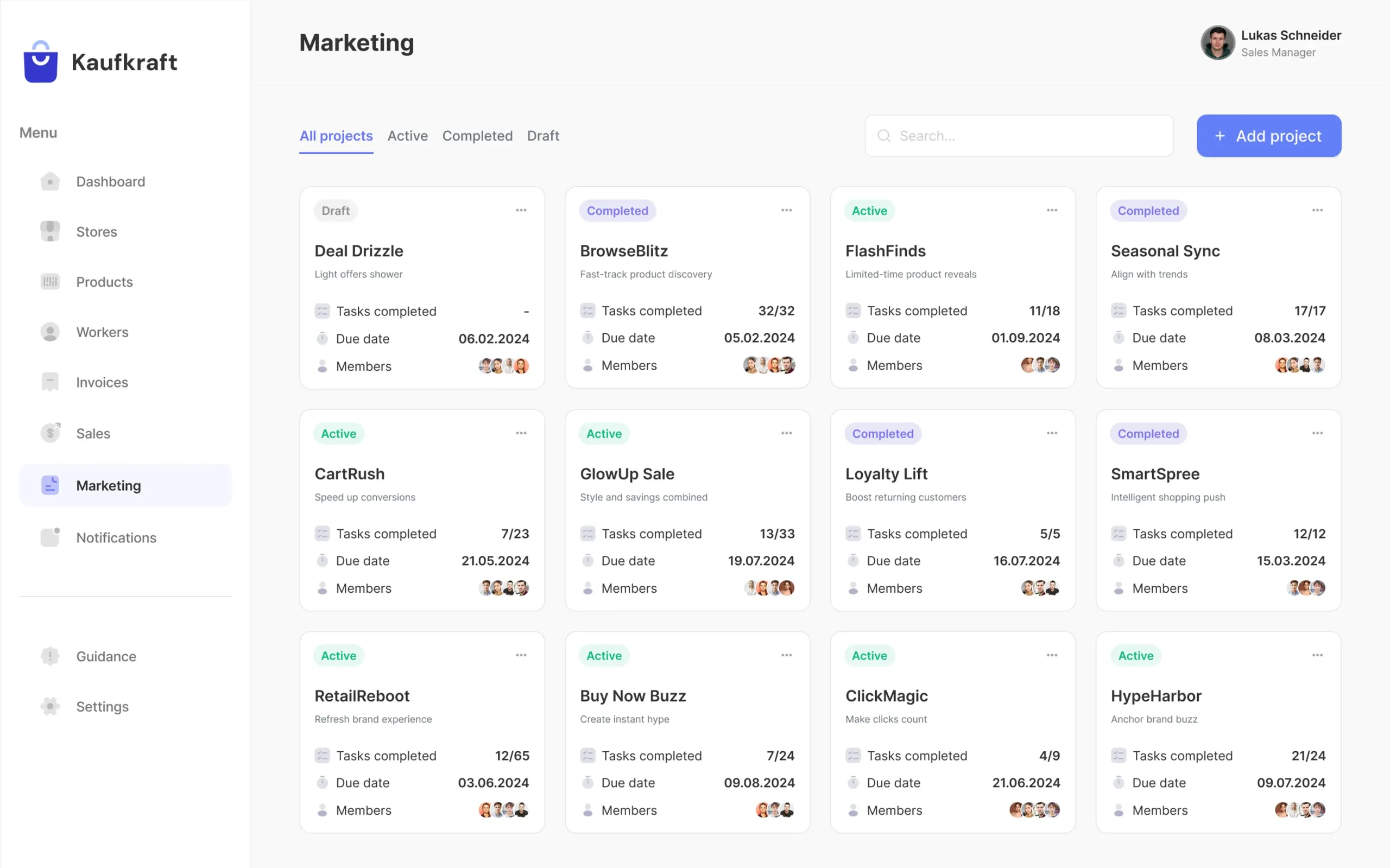
Marketing
Dashboard
Stores
Products
Invoices
Sales
Marketing
Dashboard
Dashboard
Stores
Stores
Products
Products
Invoices
Invoices
Sales
Sales
Marketing
Marketing

Information Architecture

Keeping sales managers and staff front and center, we developed a retail management system with clear dashboards and organized charts to help users find key info quickly. The dynamic front-end built with Next.js and React.js ensures speed and SEO friendliness, while NestJS and GraphQL power the back-end API interactions.

PostgreSQL holds critical data, Redis optimizes caching, and WebSockets push timely transaction and inventory updates. Docker containers run on AWS ECS, with S3 handling storage and CloudWatch delivering full observability.
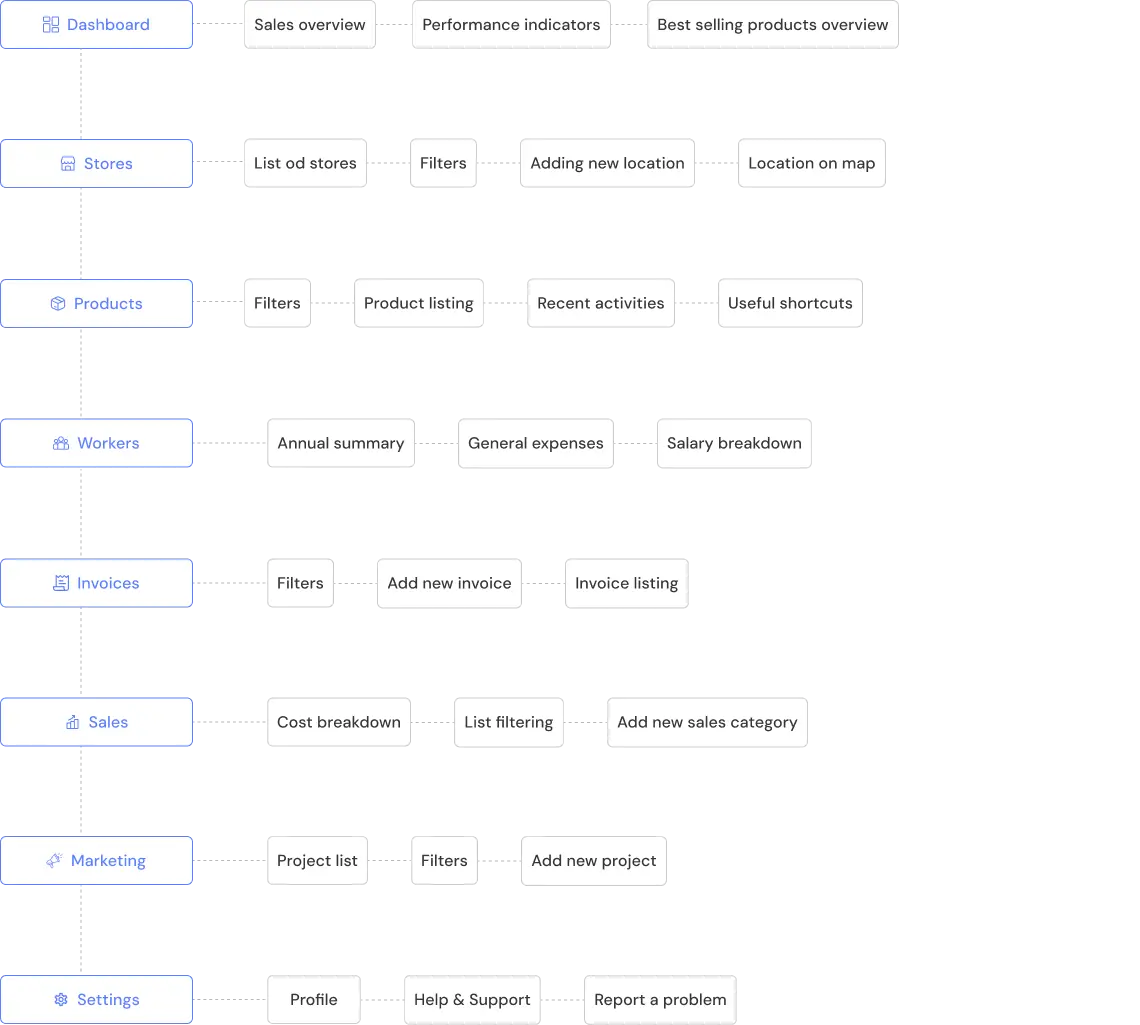
Information Architecture of Kaufkraft

Information Architecture

Information Architecture of Kaufkraft
Technologies We Used
The platform’s architecture is built on modern tools chosen to deliver speed, reliability, and advanced functionality from front-end to back-end.
Front-end
React.js
React.js
Next.js
Next.js
Back-end & API
Back-end & API
Back-end & API
GraphQL
GraphQL
Data & Realtime
PostgreSQL
PostgreSQL
Redis
Redis
WebSockets
WebSockets
Infrastructure
AWS
AWS
Docker
Docker
Integrations
Firebase Auth
Firebase Auth
Stripe API
Stripe API
OpenAI API
OpenAI API

Security

A strong security foundation underpins the platform, using state-of-the-art protocols to protect user information and uphold uninterrupted and safe interactions.
Secure login, account verification, and session management are powered by Firebase Authentication.
System health and security are continuously tracked through AWS CloudWatch and supported by audit logging.
Payment processes run on Stripe API, fully compliant with PCI DSS regulations for utmost security.
WebSockets use encryption to protect live transaction and communication data in transit.
JWT tokens enable back-end-enforced role-based access, ensuring only authorized actions occur.

Discuss your idea with our experts to define the perfect solution for your needs.

Platon Tsybulskiy

CTO

Get in touch
Platon Tsybulskii
Platon Tsybulskii
Get in touch

User persona

User persona of Kaufkraft
User persona of Kaufkraft 1
Fleet Operations Manager

Age:38

Status:Married

Location:Hamburg

Proactive
Organized
Tech-savvy
Efficient

Biography

User persona of Kaufkraft 2 has 10+ years of experience in retail operations. She manages a CRM and oversees inventory and order flow across multiple online stores in Germany. Tech-savvy and detail-oriented, User persona of Kaufkraft 3 focuses on streamlining processes to benefit both customers and internal teams. She collaborates closely with logistics, marketing, and customer service to ensure a smooth, consistent shopping experience.

Personality

Loyal
Frickle
Introvert
Extravert
Analytical
Creative

Goals

  • Get real-time inventory visibility across all stores
  • Boost order accuracy and speed up fulfillment
  • Improve CRM workflows for better retention
  • Simplify data integration for clearer reporting

Motivation

  • Central dashboard to track orders and stock
  • Alerts for low stock or delays
  • Sync between CRM, inventory, and ERP
  • Custom reports for sales and performance

Needs

  • Data mismatches from disconnected systems
  • Time-consuming manual updates
  • Inventory errors causing stock issues
  • Hard to track customer behavior across stores

Frustration

  • System gaps causing data issues
  • Manual updates across tools
  • Inventory errors causing stockouts
  • Hard to track customers across stores
User persona of Kaufkraft
User persona of Kaufkraft 1
Fleet Operations Manager

Age:38

Status:Married

Location:Hamburg

Proactive
Organized
Tech-savvy
Efficient

Biography

User persona of Kaufkraft 2 has 10+ years of experience in retail operations. She manages a CRM and oversees inventory and order flow across multiple online stores in Germany. Tech-savvy and detail-oriented, User persona of Kaufkraft 3 focuses on streamlining processes to benefit both customers and internal teams. She collaborates closely with logistics, marketing, and customer service to ensure a smooth, consistent shopping experience.

Personality

Loyal
Frickle
Introvert
Extravert
Analytical
Creative

Goals

  • Get real-time inventory visibility across all stores
  • Boost order accuracy and speed up fulfillment
  • Improve CRM workflows for better retention
  • Simplify data integration for clearer reporting

Motivation

  • Central dashboard to track orders and stock
  • Alerts for low stock or delays
  • Sync between CRM, inventory, and ERP
  • Custom reports for sales and performance

Needs

  • Data mismatches from disconnected systems
  • Time-consuming manual updates
  • Inventory errors causing stock issues
  • Hard to track customer behavior across stores

Frustration

  • System gaps causing data issues
  • Manual updates across tools
  • Inventory errors causing stockouts
  • Hard to track customers across stores

User journey map

Entice Enter Engage Exit Entend

Touch Points

  • Online search
  • LinkedIn posts/articles
  • Software comparison sites
  • Software comparison sites
  • Landing page or product website
  • Free trial or demo request
  • Free trial or demo request
  • Central dashboard with inventory/orders
  • Integration setup with ERP, CRM, stores
  • Notifications/alerts for low stock or delays
  • Support chat or success manager
  • Internal training materials for her team
  • Monthly reports showing value/ROI
  • Performance vs previous tools
  • Renewal emails
  • New feature announcements
  • Exclusive webinars
  • Referral program
  • Advanced analytics or automation add-ons
ResearchSign UpPlatform usageAchievementsShare experience

User goals

  • Checks review sites
  • Reads case studies
  • Watches demos
  • Asks peers
  • Starts free trial
  • Enters business info
  • Gets welcome email
  • Reviews setup guide
  • Connects CRM with stores and inventory system
  • Sets up automated stock alerts
  • Monitors orders from all channels in one dashboard
  • Monitors orders from all channels in one dashboard
  • Fewer stockouts
  • Less manual work
  • Faster fulfillment
  • Clearer reports
  • Writes a review
  • Posts on LinkedIn
  • Joins a forum
  • Joins a case study

User questions

  • What tools fit retail?
  • Does it sync with my systems?
  • Is support good?
  • What do others say?
  • What do others say?
  • Is setup easy?
  • Can I test one store?
  • Is help included?
  • How do I sync inventory across stores?
  • Can I automate low-stock alerts?
  • Where can I track all orders?
  • How do I onboard my team?
  • Am I saving time?
  • Are errors down?
  • Is retention better?
  • Can I track ROI?
  • Where to review?
  • How to give feedback?
  • Is there a user group?
  • Can I share my story?

Solutions

  • Clear product comparisons
  • Retail-focused case studies
  • On-demand video demos
  • Easy trial access
  • Quick setup wizard
  • Flexible store testing
  • Guided onboarding
  • One-click system integration
  • Custom stock alerts
  • Centralized order dashboard
  • Team training resources
  • Automated workflows
  • Real-time inventory updates
  • Smart performance reports
  • Faster order processing
  • In-app feedback form
  • Review request email
  • Access to user community
  • Invite to share success story
Entice Enter

Touch Points

  • Online search
  • LinkedIn posts/articles
  • Software comparison sites
  • Software comparison sites
  • Landing page or product website
  • Free trial or demo request
  • Free trial or demo request
Research Sign Up

User goals

  • Checks review sites
  • Reads case studies
  • Watches demos
  • Asks peers
  • Starts free trial
  • Enters business info
  • Gets welcome email
  • Reviews setup guide

User questions

  • What tools fit retail?
  • Does it sync with my systems?
  • Is support good?
  • What do others say?
  • What do others say?
  • Is setup easy?
  • Can I test one store?
  • Is help included?

Solutions

  • Clear product comparisons
  • Retail-focused case studies
  • On-demand video demos
  • Easy trial access
  • Quick setup wizard
  • Flexible store testing
  • Guided onboarding
Engage

Touch Points

  • Central dashboard with inventory/orders
  • Integration setup with ERP, CRM, stores
  • Notifications/alerts for low stock or delays
  • Support chat or success manager
  • Internal training materials for her team
Platform usage

User goals

  • Connects CRM with stores and inventory system
  • Sets up automated stock alerts
  • Monitors orders from all channels in one dashboard
  • Monitors orders from all channels in one dashboard

User questions

  • How do I sync inventory across stores?
  • Can I automate low-stock alerts?
  • Where can I track all orders?
  • How do I onboard my team?

Solutions

  • One-click system integration
  • Custom stock alerts
  • Centralized order dashboard
  • Team training resources
Exit Entend

Touch Points

  • Monthly reports showing value/ROI
  • Performance vs previous tools
  • Renewal emails
  • New feature announcements
  • Exclusive webinars
  • Referral program
  • Advanced analytics or automation add-ons
Achievements Share experience

User goals

  • Fewer stockouts
  • Less manual work
  • Faster fulfillment
  • Clearer reports
  • Writes a review
  • Posts on LinkedIn
  • Joins a forum
  • Joins a case study

User questions

  • Am I saving time?
  • Are errors down?
  • Is retention better?
  • Can I track ROI?
  • Where to review?
  • How to give feedback?
  • Is there a user group?
  • Can I share my story?

Solutions

  • Automated workflows
  • Real-time inventory updates
  • Smart performance reports
  • Faster order processing
  • In-app feedback form
  • Review request email
  • Access to user community
  • Invite to share success story

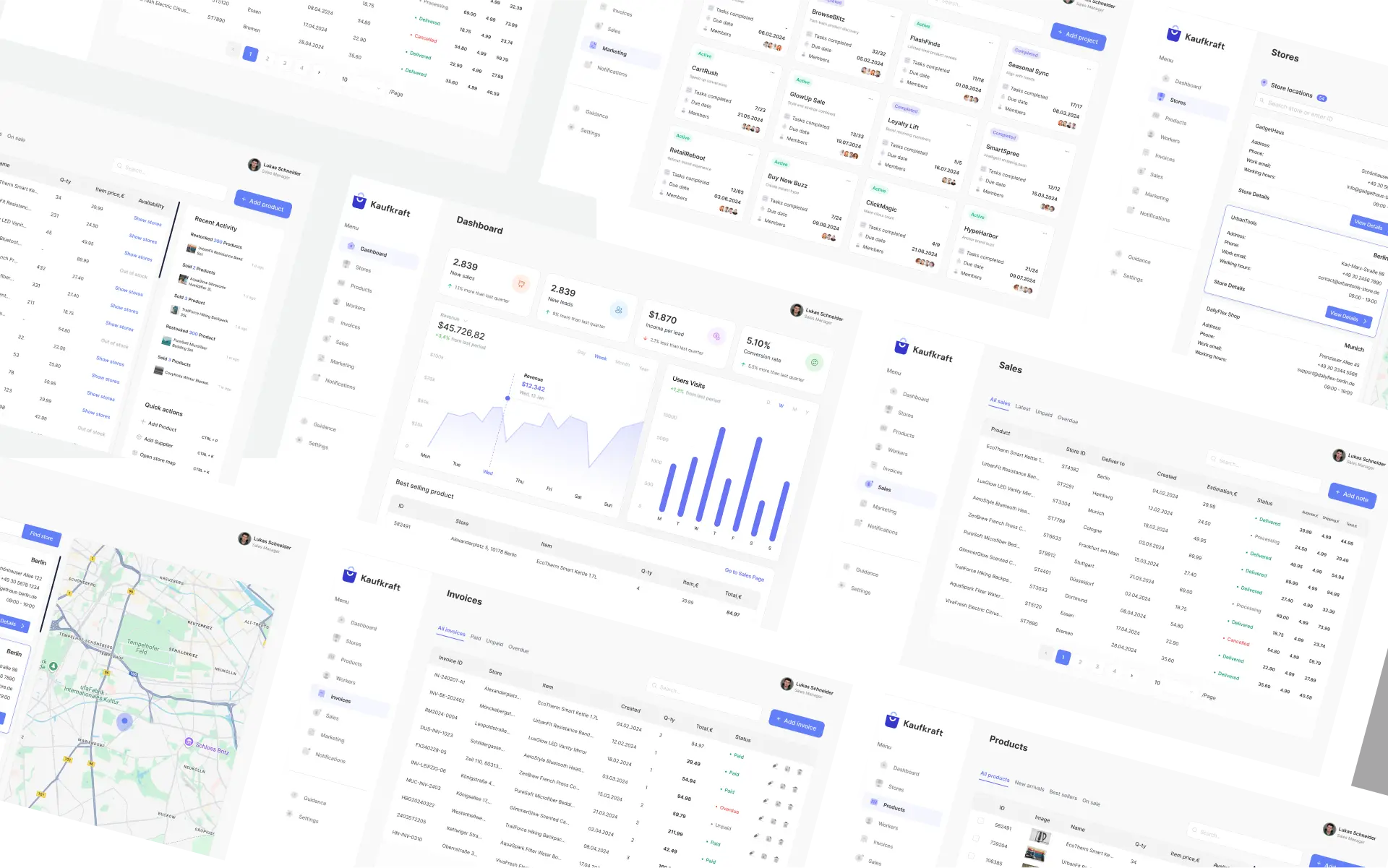
Functionality

The goal was to provide Kaufkraft with a robust yet user-friendly suite of tools that quickly deliver important business stats and streamline store and product management. This approach ensures the team can focus on results without getting lost in complexity:

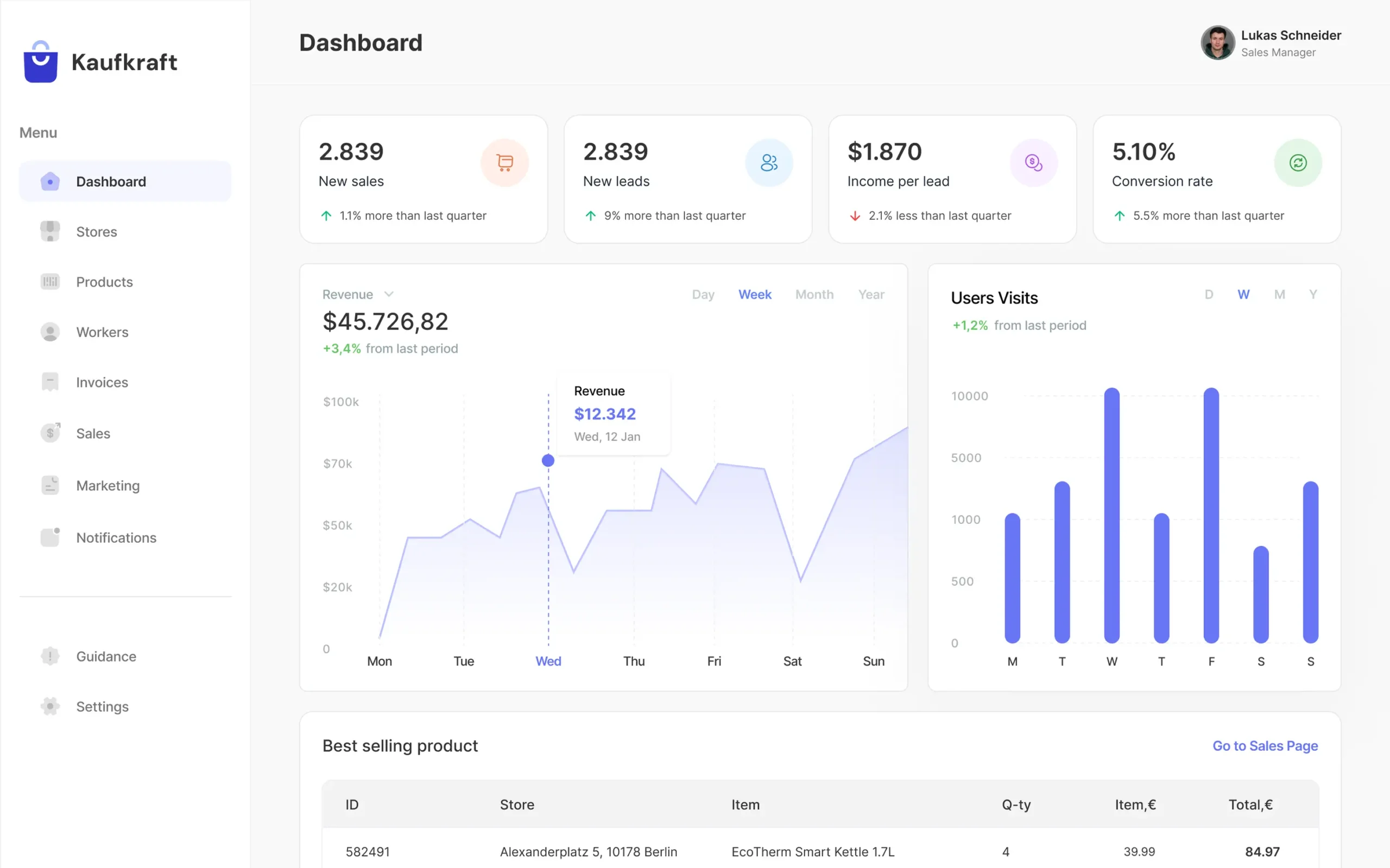
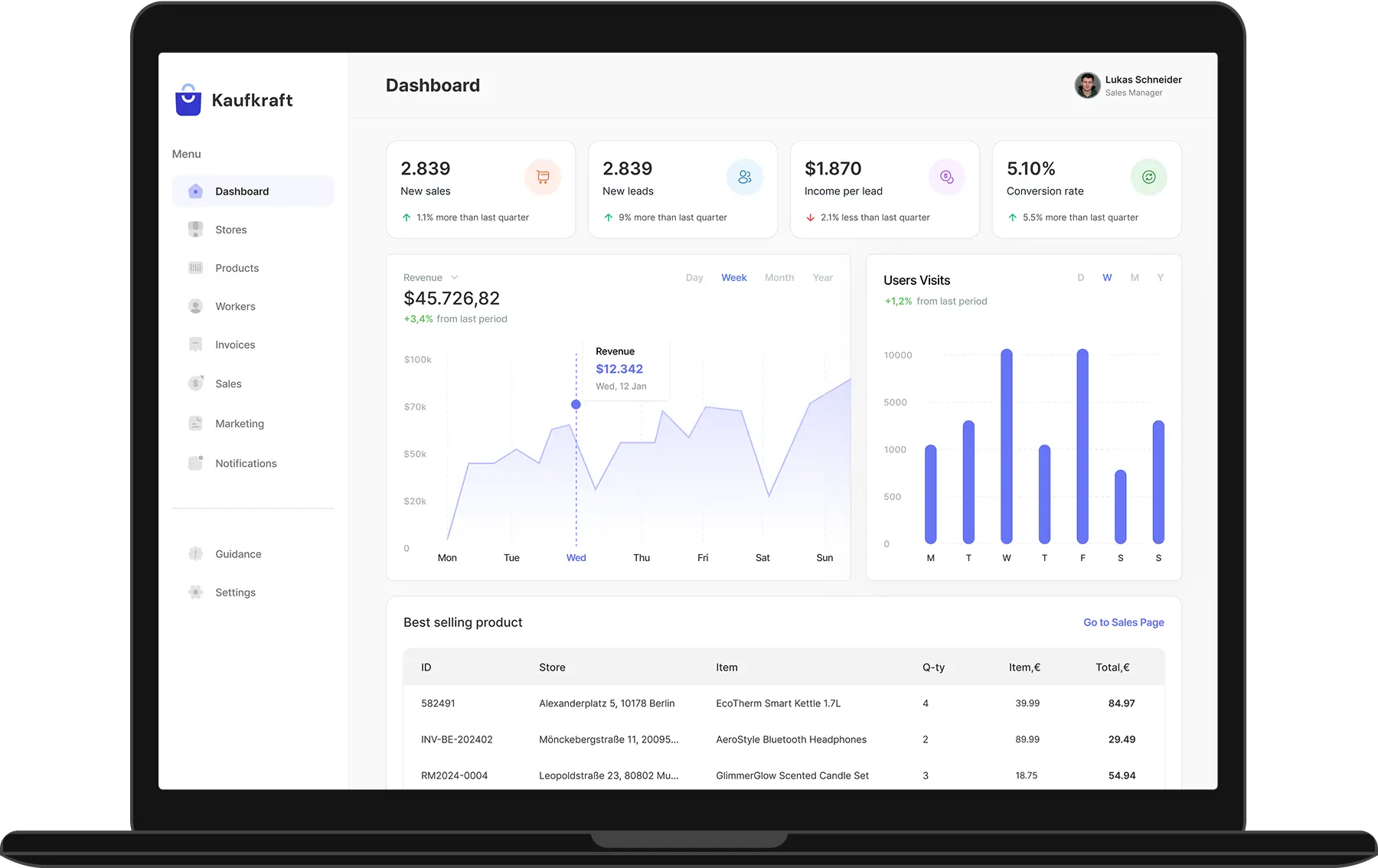
Dashboard for KPIs

Kaufkraft wanted us to design and create the main page with core statistics and nuances that can be overviewed in minutes by admins. Therefore, we added elements for new sales numbers with increasing-downcreasing percentage, leads and related incomes, conversion rate, revenue, visits of users, and statistics for bestsellers.
Dashboard example

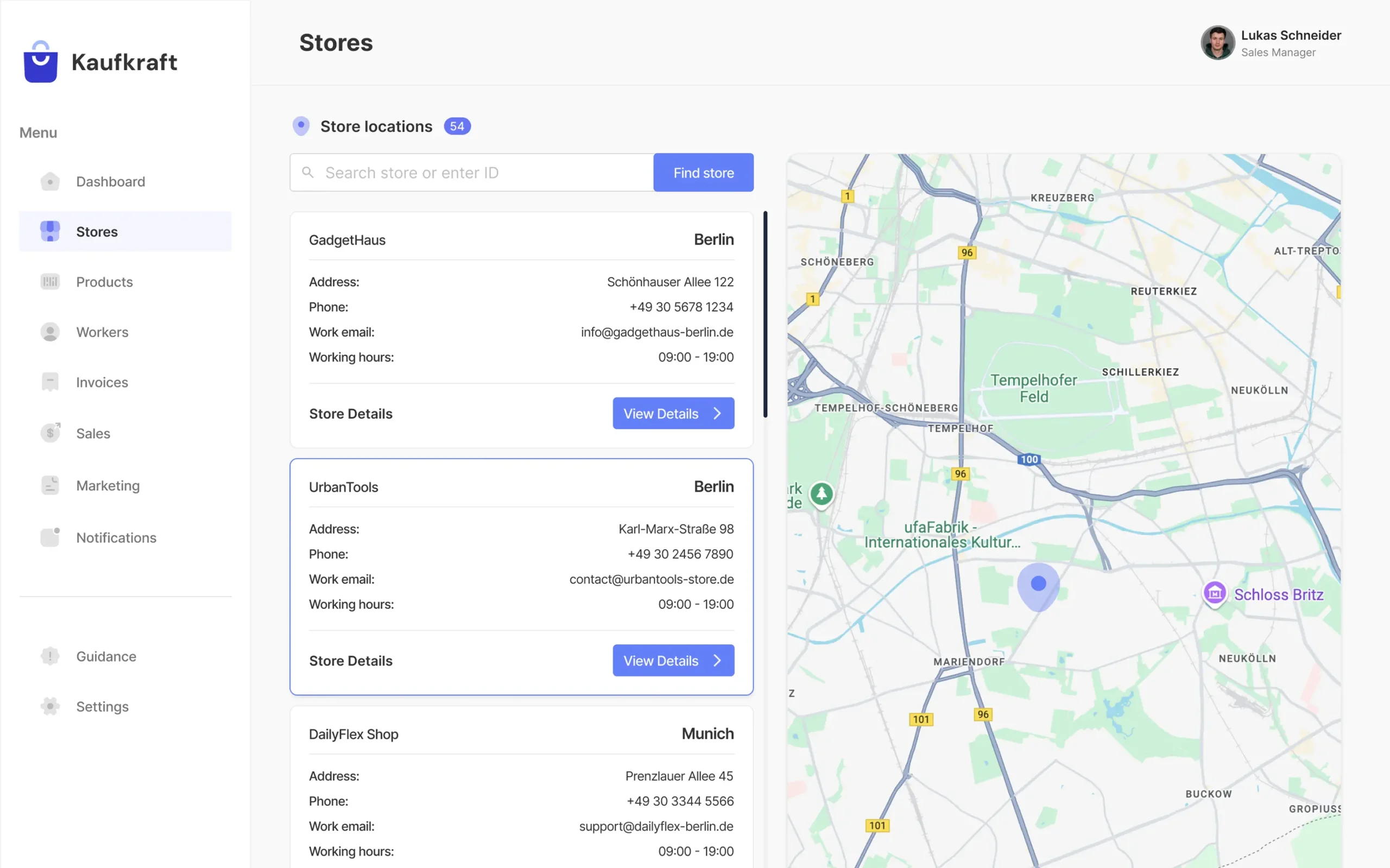
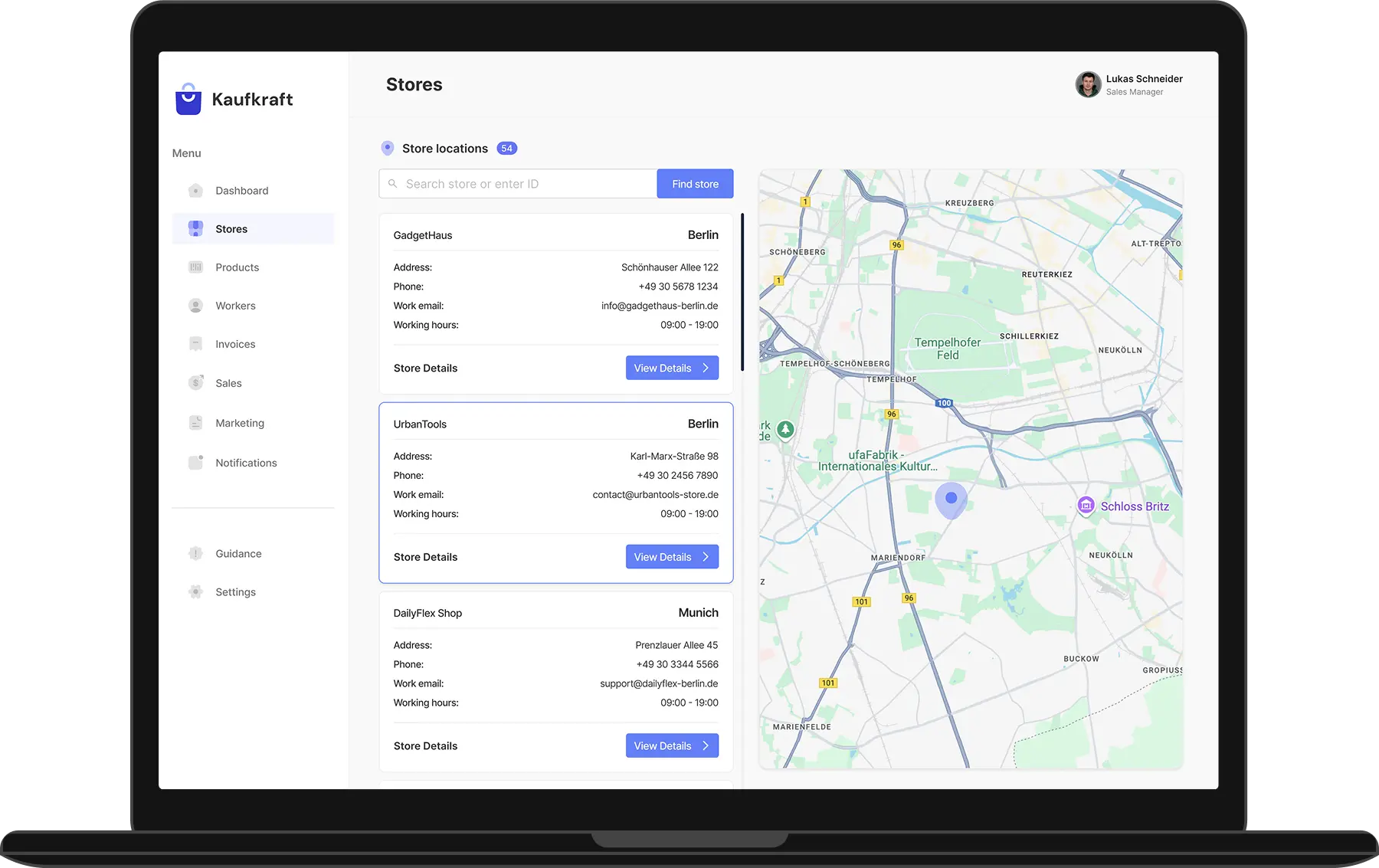
Stores locations

This tab was developed for sales managers and other specialists so that they can easily access the full information about each store, knowing its ID or searching manually through the list. They can overview core data, from cities to working hours, open for more details, and check the map.
Stores example

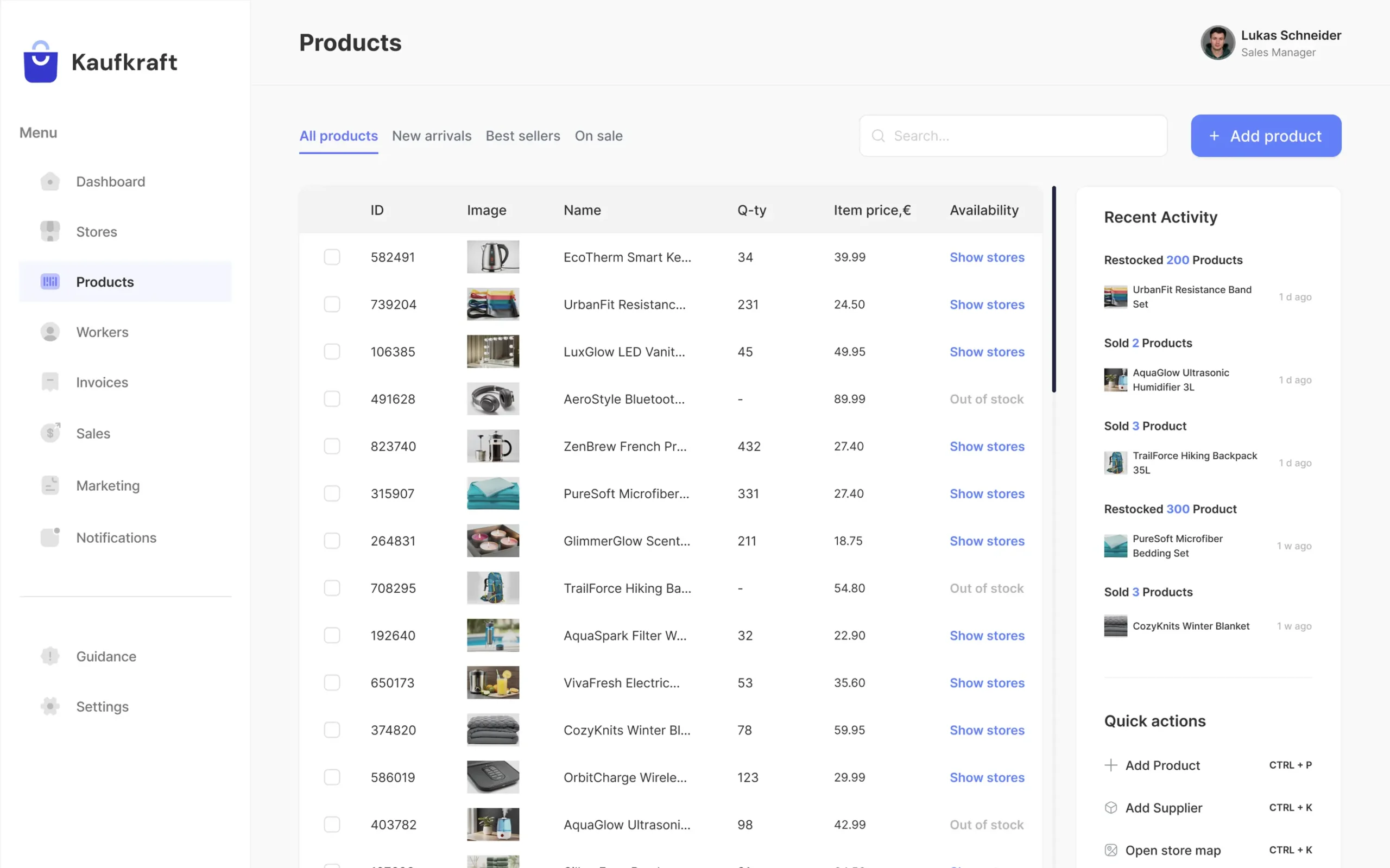
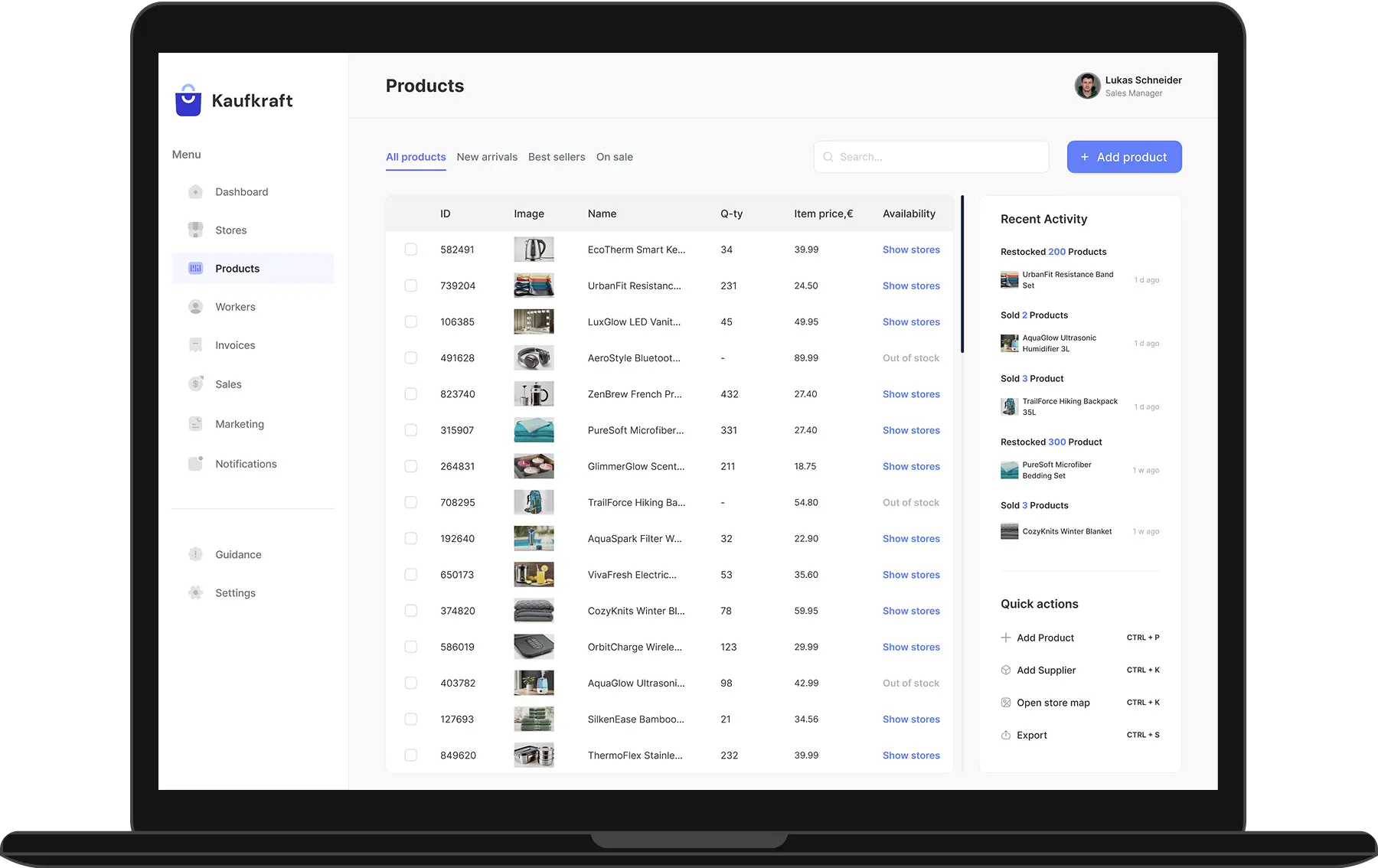
Products page

The most challenging part of this project was about all products data storage, and to simplify the inventory management for our client, we divided all the stuff into categories: “All products,” “New arrivals,” “Best sellers,” and “On sale.” Employees are able to review recent activity, use shortcuts or buttons to add goods, suppliers, open store maps, and export the information.
Products example
CRM System Design Development for Kaufkraft 3

More success cases

Learn more arrow-grey
boxes Logistics & supply chain
Logifleet
Italy flag Italy
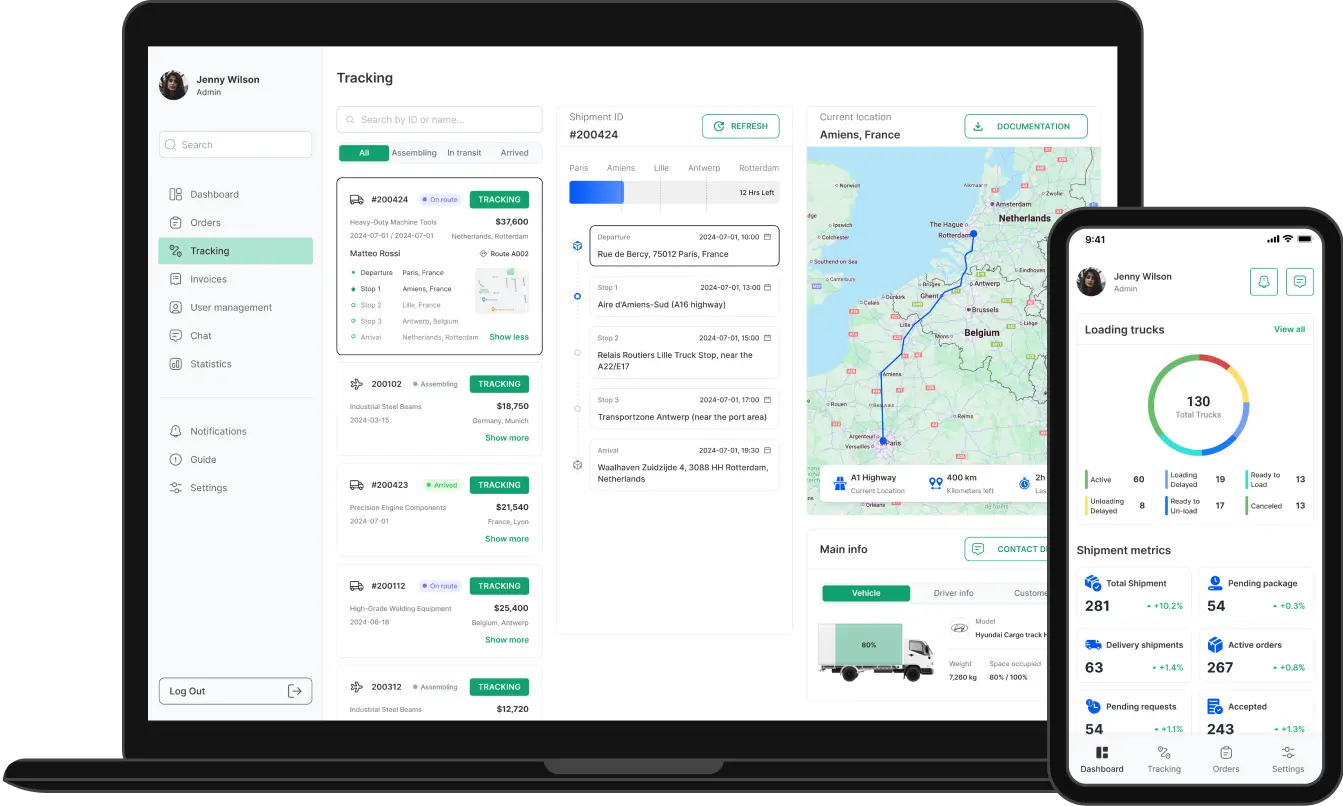
Freight & Transportation web platform design and development
Learn more arrow-grey
Freight and Transportation design and development 3 Freight and Transportation design and development 2
Learn more arrow-grey
sun Renewable energy
SolarSavvy
Italy flag Italy
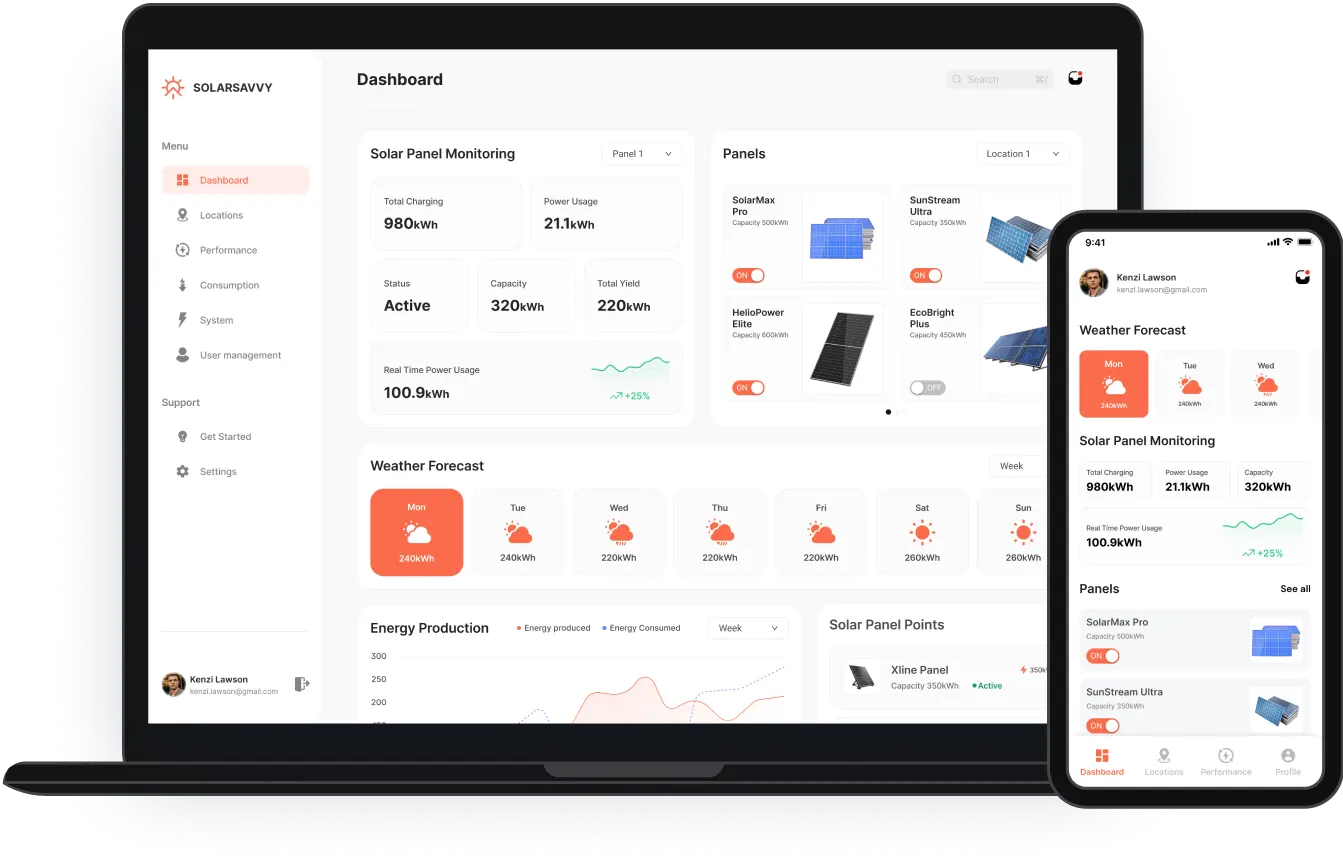
Solar energy platform design and development
Learn more arrow-grey
Solar Energy Platform Design and Development 2 Solar Energy Platform Design and Development 3

Create your product with us

Have a brilliant idea in mind? We know what to do next.